I have been working on a deployments monitoring platform along with Jeremy that we call Watchly. Imagine a unified view for all your deployments of various projects in a single place. The Github workflow UI isn't great at telling you what is going out to customers at a particular point in time, how has the deployment health looked in the past and if the outgoing deployment is looking healthy.
We saw this problem and built a unified view which lets you connect your deployments from Github, Vercel and Netlify and have a holistic view of what is being deployed in your system.
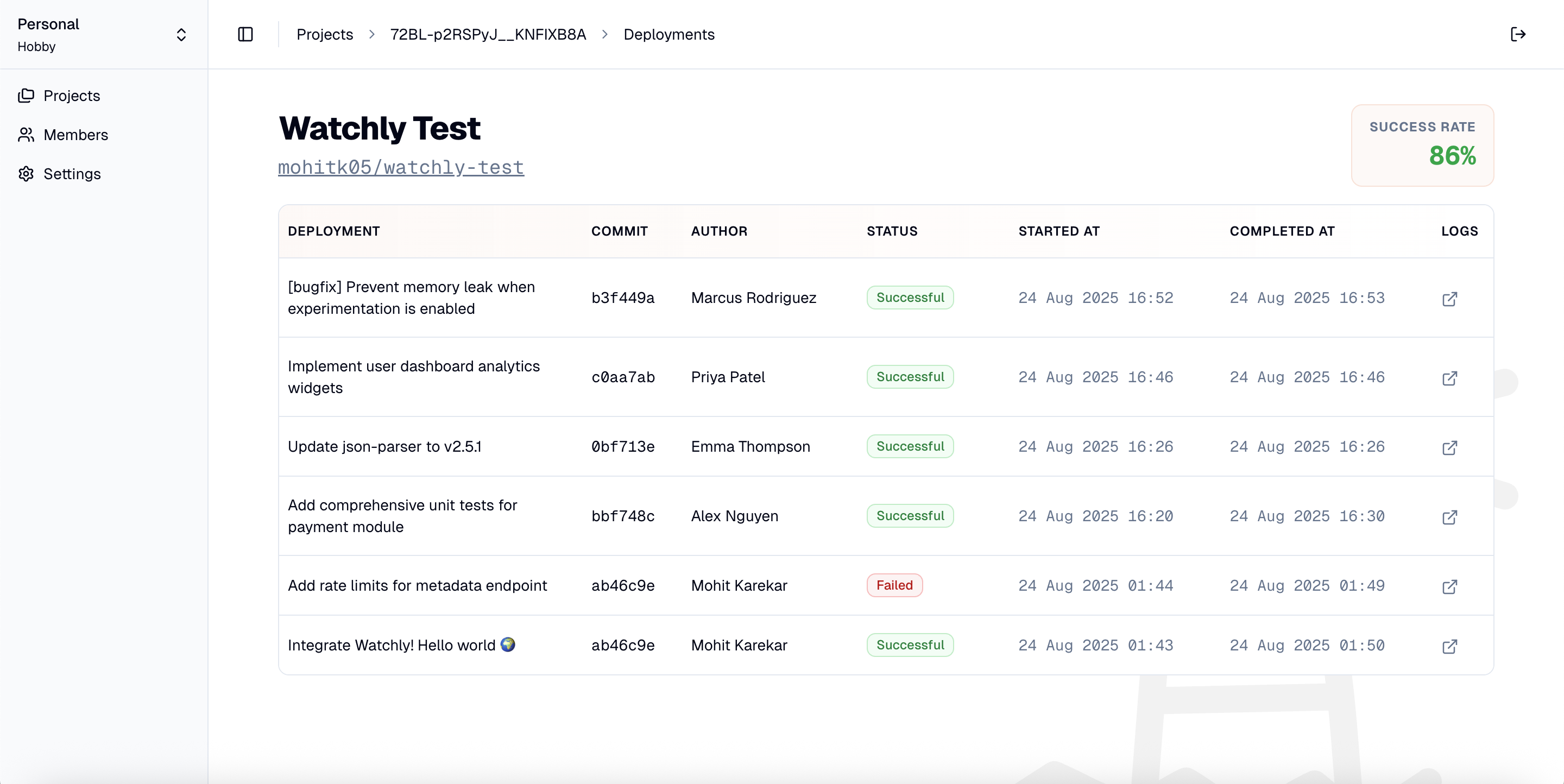
Watchly receives information about deployments from the platform where it occurs via webhooks. In Github workflows, one would have to make a network request to the Watchly API in order to notify about a deployment and would look something like this:
jobs:
  deploy:
    runs-on: ubuntu-latest
    steps:
      - name: Notify Watchly of deployment start
        run: |
          curl -X POST -H "Authorization: Bearer $" \
            https://api.watchly.dev/api/v1/webhooks/deployments/start/$
While this works, I wanted to create a better developer experience and encapsulate these calls into a command line interface. Think of the above command becoming something like:
      - name: Notify Watchly of deployment start
        run: watchly-cli deployment start
        env:
          WATCHLY_API_KEY: $
Having a CLI lets us push minor details about what headers to send, what metadata to attach and the endpoint to connect to under the watchly-cli interface and distribute access to our webhooks API in a controlled manner.
So I decided to create a CLI tool which would let users install it in their CI environments and use it to notify Watchly of deployment start and finish checkpoints.
There is an abundance of choice when building a CLI tool. You could do it in a scripting language like TypeScript or Python, or you could build it in compiled languages like Go or Rust.
To me, Go seemed to be the most favourable one as it had:
- Single, tiny executables that can be distributed easily
- Easy cross-platform support in the compiler
- Extensive abstractions for building CLIs
It's so easy to write and distribute CLIs with Go! And I love the simplicity of the language as well - prerequisites needed like Node or no heavy node_modules (well there is the shiny new bun/deno compile, but it's still fairly new and the executables are fairly large in size).
Building a CLI #
urfave/cli turned out to be the easiest choice to implement a customised CLI with elaborate commands supporting flags, sub-commands and arguments. It lets you define your commands along with what flags/arguments are mandatory and what should be the fallback value for each. A quick implementation of the watchly-cli deployment start command looked like this:
func main() {
	cmd := &cli.Command{
		Name:  "watchly-cli",
		Usage: "CLI to interact with Watchly - Docs at https://docs.watchly.dev",
		Commands: []*cli.Command{
			{
				Name:  "deployment",
				Usage: "Notify Watchly about a deployment",
				Commands: []*cli.Command{
					{
						Name:  "start",
						Usage: "Start a deployment",
						Flags: []cli.Flag{
							&cli.StringFlag{
								Name:     "api-key",
								Aliases:  []string{"k"},
								Usage:    "Watchly API key for your project",
								Sources:  cli.EnvVars("WATCHLY_API_KEY"),
								Required: true,
							},
						},
						Action: func(ctx context.Context, cmd *cli.Command) error {
							apiKey := cmd.String("api-key")
							githubRepoFullName := os.Getenv("GITHUB_REPOSITORY")
							githubSha := os.Getenv("GITHUB_SHA")
							githubRunId := os.Getenv("GITHUB_RUN_ID")

							if githubRepoFullName == "" || githubSha == "" || githubRunId == "" {
								return fmt.Errorf("missing required environment variables, are you running this in a GitHub Actions environment?")
							}

							deploymentUrl := fmt.Sprintf("https://github.com/%s/actions/runs/%s", githubRepoFullName, githubRunId)

							fmt.Println("watchly-cli - 🔭 Contacting Watchly ...")

							deploymentId, err := watchlyapi.StartDeployment(apiKey, githubSha, deploymentUrl)
							if err != nil {
								return fmt.Errorf("failed to notify Watchly: %w", err)
							}

							fmt.Printf("watchly-cli - ✅ Recorded deployment: %s\n", deploymentId)

							return nil
						},
					},
The Action property is a function that gets executed along with some context whenever the command is invoked in the CLI. Here I could then construct the custom payload, do some sanity checks and make the network request.
The default help command is available out-of-the-box, so if I only call watchly-cli:
➜  ~ watchly-cli
NAME:
   watchly-cli - CLI to interact with Watchly - Docs at https://docs.watchly.dev

USAGE:
   watchly-cli [global options] [command [command options]]

COMMANDS:
   deployment  Notify Watchly about a deployment
   help, h     Shows a list of commands or help for one command

GLOBAL OPTIONS:
   --help, -h  show help
And I can also ask for a specific command:
➜  ~ watchly-cli -h deployment
NAME:
   watchly-cli deployment - Notify Watchly about a deployment

USAGE:
   watchly-cli deployment [command [command options]]

COMMANDS:
   start   Start a deployment
   finish  Finish a deployment

OPTIONS:
   --help, -h  show help
Distribution #
Go makes it super easy to distribute multi-platform binaries. The GoReleaser tool is available as a Github Action and can be used to generate builds whenever you merge to main with a tag.
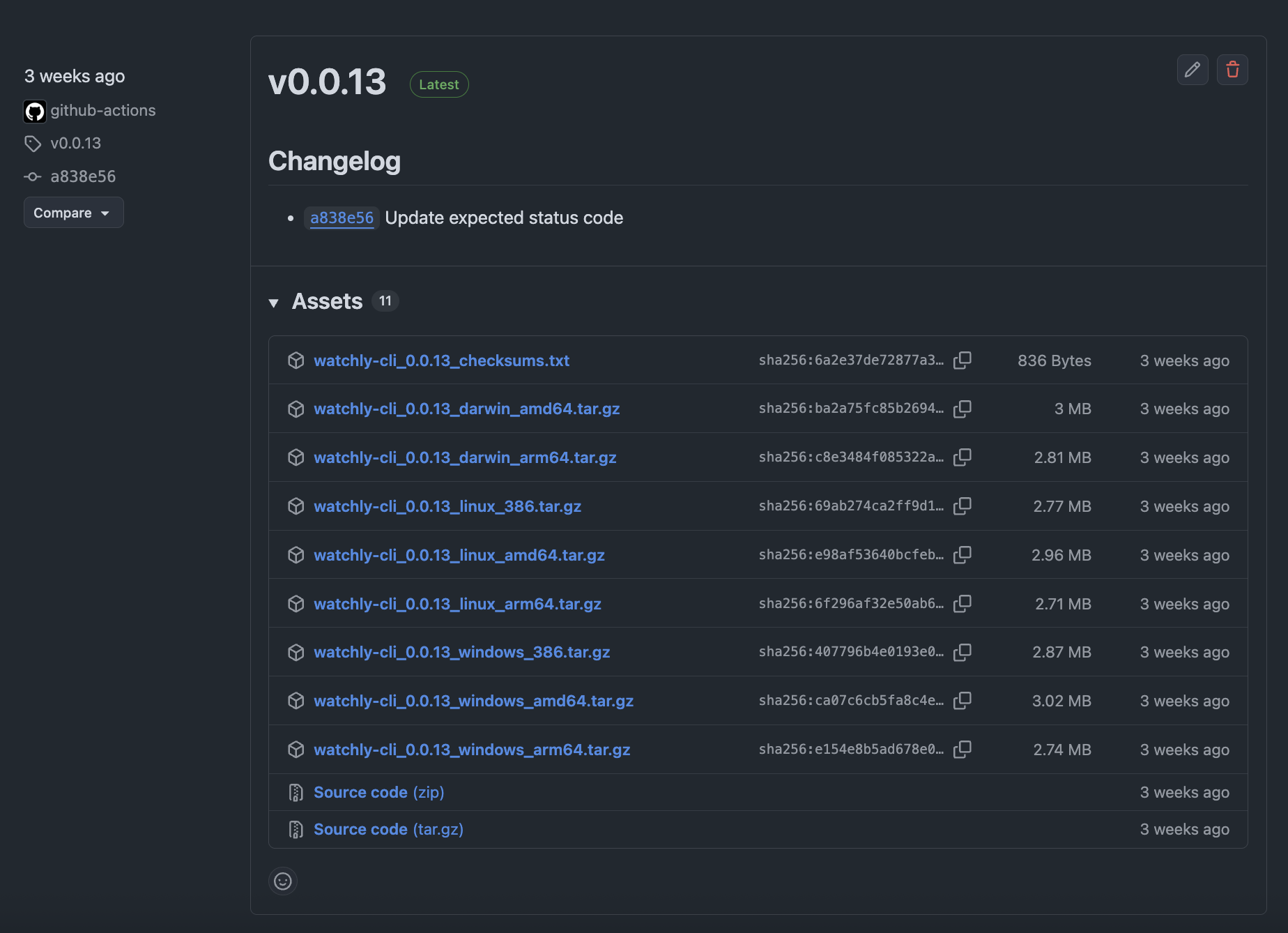
watchly-cli is open-source and you can check out the complete code here:
https://github.com/getwatchly/watchly-cli
In the future, we plan to add more commands to the CLI to let you get status of your deployments right in your shell!
Watchly is a deployments monitoring platform that gives you a holistic view of what is going out to your users in your software systems. We are gradually inviting early adopters with our free individual plan, do give it a try! If you are a team, we have a team plan that lets you have unlimited projects and members.
Our vision with Watchly is to make it a platform that is aware of any change happening to your system that can change how it behaves for your customers. With this knowledge, Watchly can aggregate information and give you hints about what could have caused the change.


